


EMEET Meeting Capsule Pro
360° All-in-One AI Conference Camera.
USD
$849.99
$999.99
税込み。
配送料はチェックアウト時に計算されます。
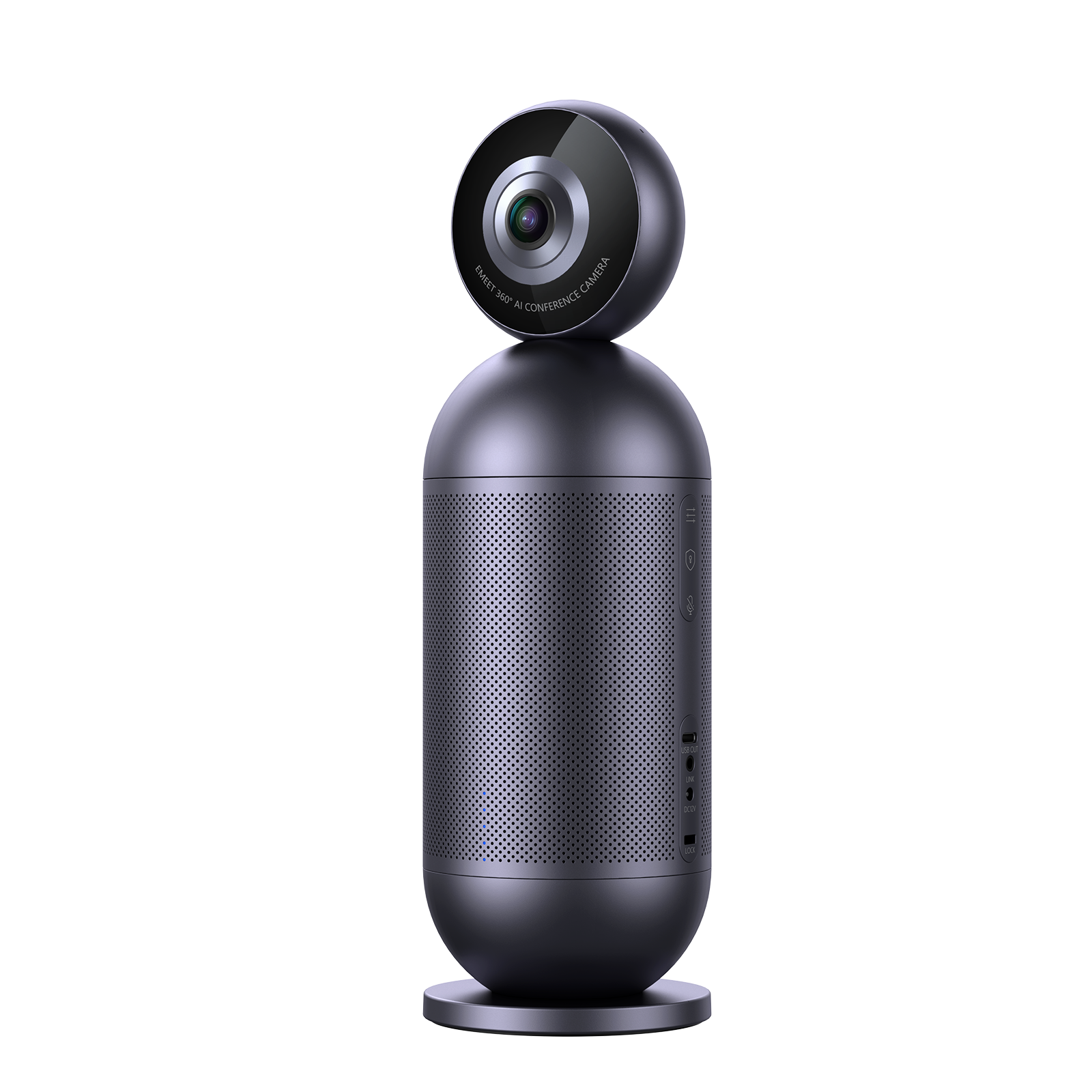
- Dual 4K lenses, upgraded image quality
- 8+2 microphones, crystal-clear audio
- 10W Hi-Fi speaker, hear loud and clear
- AI-powered active speaker tracking
数量:
お問い合わせフォーム

EMEET Meeting Capsule Pro
360° All-in-One AI Conference Camera.


迅速、無料配送
30日以内に返金可能
独占延長保証
手間のかからないカスタマーサービス


EMEET Meeting Capsule Pro
Meeting Capsule Pro
USD
$849.99
$999.99
Explore
Overview
Specs
FAQs
Reviews
User Manual
All Set for Hybrid Collaboration
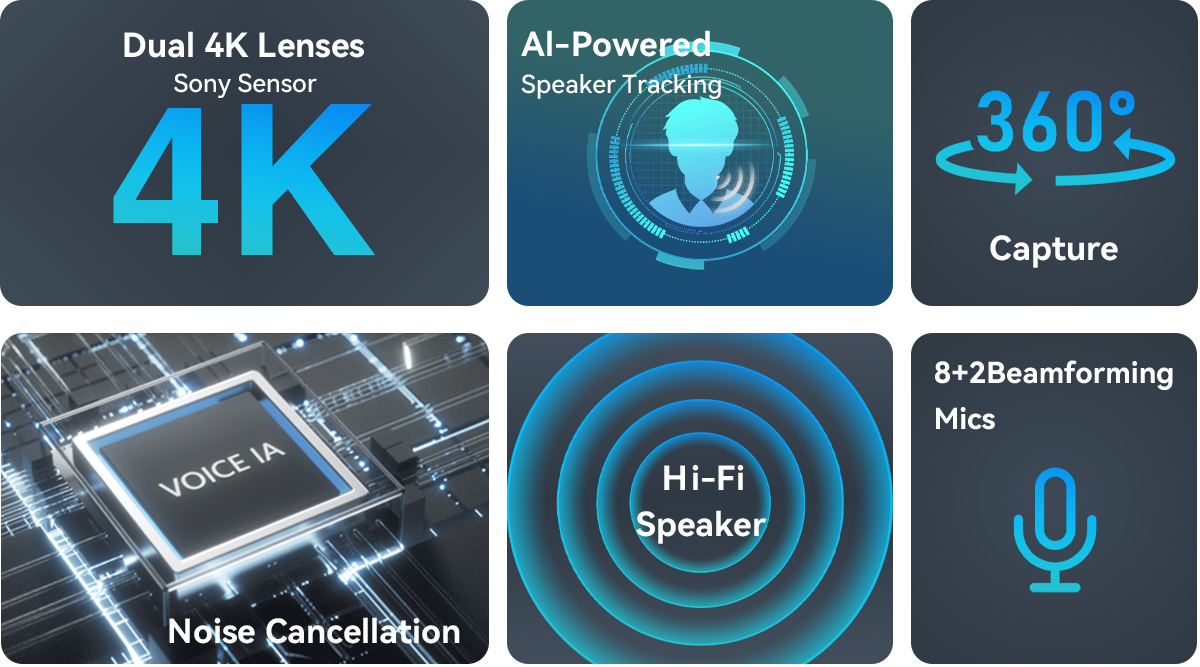
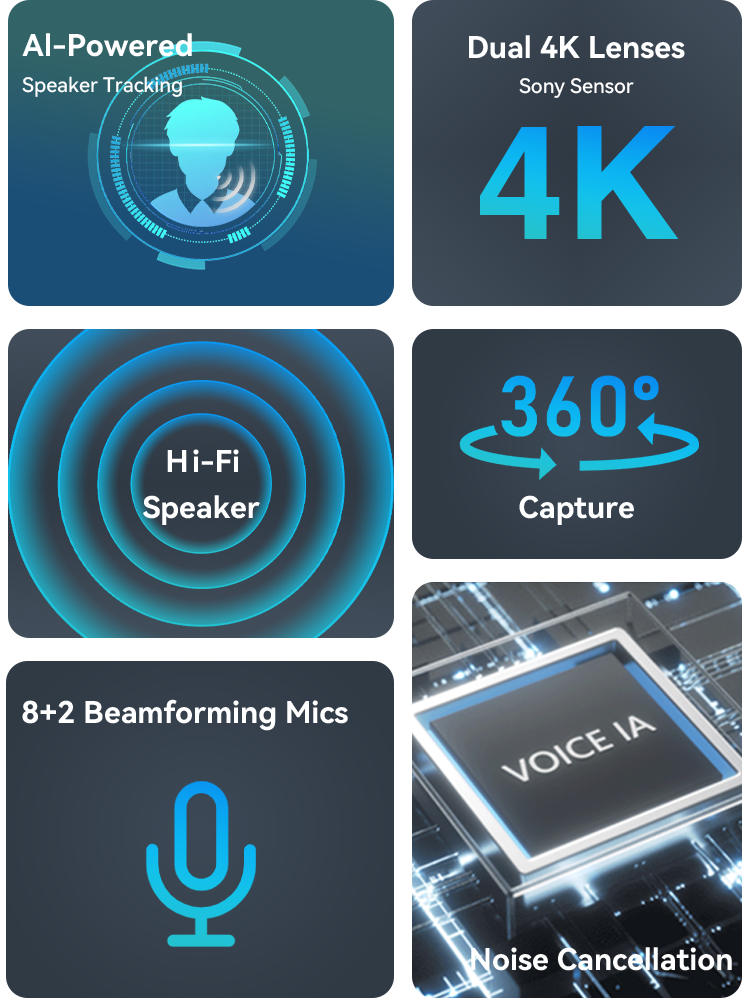
Dual 4K Lenses Capture
Upgraded Image Quality
Featuring dual 4K lenses and a Sony sensor, the Meeting Capsule Pro is able to deliver stunning visuals to the remote end, allowing every attendee to be seen crystal-clear.

Be Seated and Be Seen
The EMEET Meeting Capsule Pro provides a complete view of the meeting space with its 360-degree capture capabilities and dual 4K lenses that ensure high-quality visuals.
Dual 4K Lenses
coverage
0
°
Following the Speaker...All the Time
The AI-powered speaker tracking allows up to 3 attendees to be zoomed
in on while they're speaking so that remote team members can hear and
see whoever's speaking clearly as if they're seated in the room.
Hi-Fi Speaker
Hear Louder and Clearer
Hear the remote side louder and clearer with the powerful 10W
Hi-Fi speaker anywhere in the conference room.
10 WattHi-Fi Speaker

Noise Cancellation
Get Yourself Heard
The Meeting Capsule Pro boasts 8 omni-directional and 2 noise
cancelling mics that are enhanced with a cutting-edge voiceIA
algorithm so that it provides a complete 360° voice pickup in a
radius of 18ft, making sure everyone is heard wherever they're in
the room.
8+2
mics
360°
coverage
18ft
pickup radius

Full Duplex Audio
Smooth and Seamless Communication
Our exclusive DSP algorithm VoiceIA enables cancelling up to 2969
types of noises, including transient noises and continuously
steady background noises, toghether with the full duplex audio,
the Meeting Capsule Pro makes communication smoother and
collaboration a breeze.
2969types of noises cancelled


Out-of-the-Box Compatibility
EMEET devices are designed to seamlessly integrate with the most popular operating systems and platforms, giving you the flexibility to work across multiple devices and environments.

Mac OS

Windows

Microsoft Teams

Zoom

GoToMeeting

Skype

Google Meet

Face Time

Cisco Webex

BlueJeans
Better with EMEETLINK
Easily manage your EMEET devices with EMEETLINK.
Change parameters and upgrade firmware to let it get smarter.
Change parameters and upgrade firmware to let it get smarter.

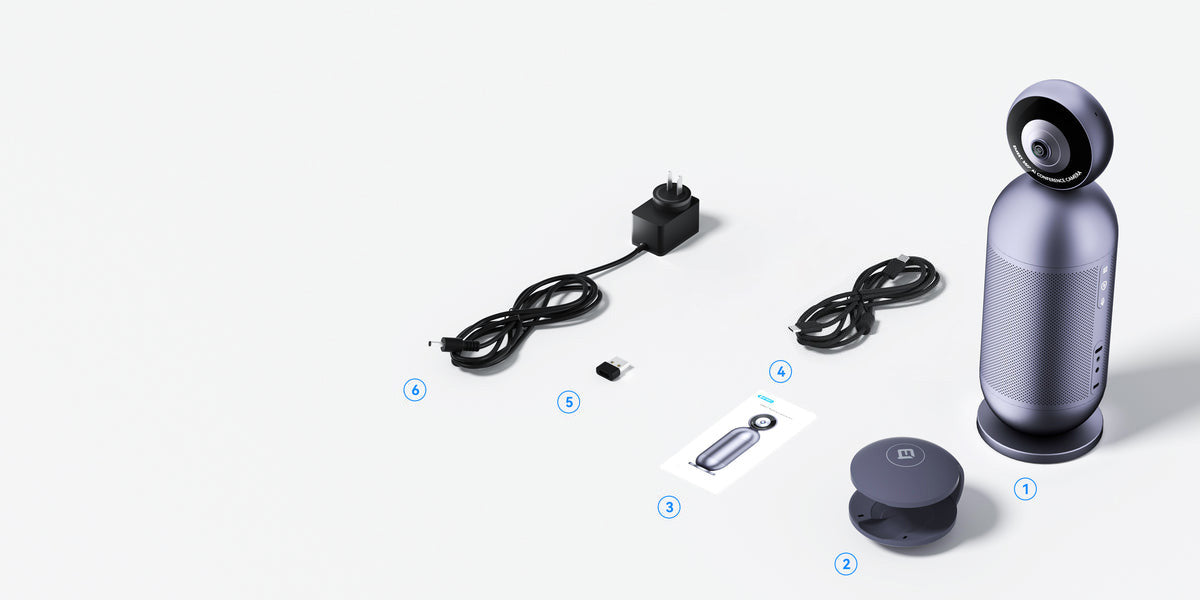
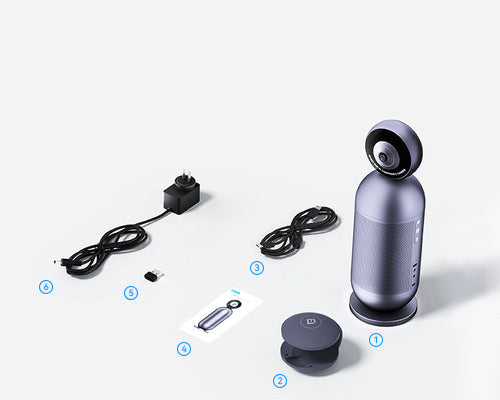
ボックスの内容
- EMEET Meeting Capsule Pro
- Magnetic Privacy Cover
- User Manual
- USB C-C Cable,3m
- USB C-A Adapter
- Power Supply Adapter
製品比較
| モデル |
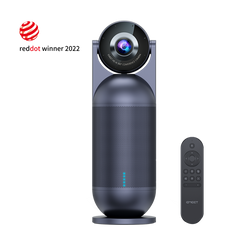
 Meeting Capsule Pro
|
 Meeting Capsule
|
||
|---|---|---|---|---|
| 価格 | $849.99 | $649.99 | ||
| Lens | Dual 4K fisheye lenses | One fisheye lens | ||
| Focus Type | AI-based focus | AI-based focus | ||
| Video Pickup Radius | 10ft | 10ft | ||
| Output Resolution | 1080P | 1080P (in Classic Mode) | ||
| Microphone | 8 omni-directional beamforming mics 2 noise-cancelling mics | 8 omni-directional beamforming mics | ||
| Audio Pickup Radius | 18’ (5.5m) | 18’ (5.5m) | ||
| Technology | Noise cancellation Echo cancellation Voice enhancement Full duplex | Noise cancellation Echo cancellation Voice enhancement Full duplex |
||
| Output Level | 10W | 10W | ||
| Plug and Play | Yes USB-C to A | Yes USB-C to A |
||
| Daisy Chain Option | Audio and video Daisy Chain | Audio Daisy Chain | ||
| Audio Daisy Chain | M3, Luna Plus, Luna Plus Meeting Kit, M0 Plus | M3, Luna Plus, Luna Plus Meeting Kit, M0 Plus | ||
| Power Supply | AC 100 - 240V | AC 100 - 240V | ||
| Mode | Collaboration mode InPrivate mode | Collaboration mode Speech mode Classic mode Spotlight mode InPrivate mode |
||
| Remote Control | No | Yes | ||
| Device Buttons | Sensitivity button InPrivate mode Microphone mute | Mode switching InPrivate mode Microphone mute |
||
| Interface | Power supply port USB-C port Daisy Chain port Kensington lock port 1/4" thread hole | Power supply port USB-C port Daisy Chain port Kensington lock port 1/4" thread hole |
||
| Privacy Cover | Physical privacy cover Digital Privacy Cover | Digital privacy cover | ||
| Software | EMEETLINK | EMEETLINK | ||
| Dimensions | Meeting Capsule Pro:3.82" W x 3.82" D x 12.13" H (97mm*308mm) | 3.82" W x 3.82" D x 11.46" H (97mm*291mm) | ||
| Weight | Meeting Capsule Pro: 2.30 lbs (1045g) | 2.34 lbs (1060g) | ||
| Warranty | 2-year warranty | 2-year warranty |
よくある質問
質問がありますか?
EMEET Meeting Capsule Pro
360° All-in-One AI Conference Camera.
How do I use Meeting Capsule Pro?
Connect the host to the power adapter. The host will automatically start after it is energized.
Connect the host to your computer via USB Cable.
The product is plug-and-play. When using it for the first time, select "EMEET Meeting Capsule Pro" as the default microphone, speaker, and camera.
For macOS: System Settings > Sound > Sound Effects/Output/Input
For Windows: Right-click the sound icon > Open Sound Settings > Select Output/Input device
For video conferencing software like Zoom, Skype, and Teams: Settings > Audio > Speaker/Microphone; Video > Camera
Which products can Meeting Capsule Pro be cascaded with?
- Wireless Video Cascading
EMEET Meeting Capsule Pro supports cascading video with its Co-Camera EMEET StreamCam One(Model: E700403), but it does not support cascading audio.
Please note that one Meeting Capsule Pro can only be wirelessly cascaded with one Co-Camera.
- Wired Audio Cascading
EMEET Meeting Capsule Pro supports single-unit audio cascading with EMEET Meeting Capsule Pro, EMEET Meeting Capsule, Luna Plus, M0 Plus, and M3, but it does not support cascading video.
To complete the cascade, insert the EMEET proprietary cascade cable into the aux port of both the EMEET Meeting Capsule Pro and the speakerphone.
- Wireless Cascading+Wired Cascading
The EMEET Meeting Capsule Pro can wirelessly cascade with a Co-Camera EMEET StreamCam One(Model: E700403) for video and also connect with a speakerphone for audio via a wired connection at the same time.
Does EMEET Meeting Capsule Pro have call mode and music mode?
EMEET Meeting Capsule Pro supports two modes: call mode and music mode.
When the microphone is in use, such as during a conference call, the device will enter call mode.
In call mode, the default settings use full-duplex mode, noise reduction, and echo cancellation to provide a clearer conference call experience.
When the microphone is not in use, the device will be in music mode.
In music mode, the speaker outputs high-fidelity sound quality, giving you an enhanced listening experience.
How does Meeting Capsule Pro's AI Speaker Tracking work?
EMEET Meeting Capsule Pro uses advanced algorithms and multiple microphones to accurately track and capture sound from different directions, combined with facial recognition technology for speaker positioning.
It is comforting to know that even if the speaker's face is obscured, the device can still recognize and locate the speaker's position.
ユーザーマニュアル
EMEET Meeting Capsule Pro User Manual
今すぐダウンロード
- 選択結果を選ぶと、ページが全面的に更新されます。